Peer Mentor Profile & Management
Feature Detail
Description
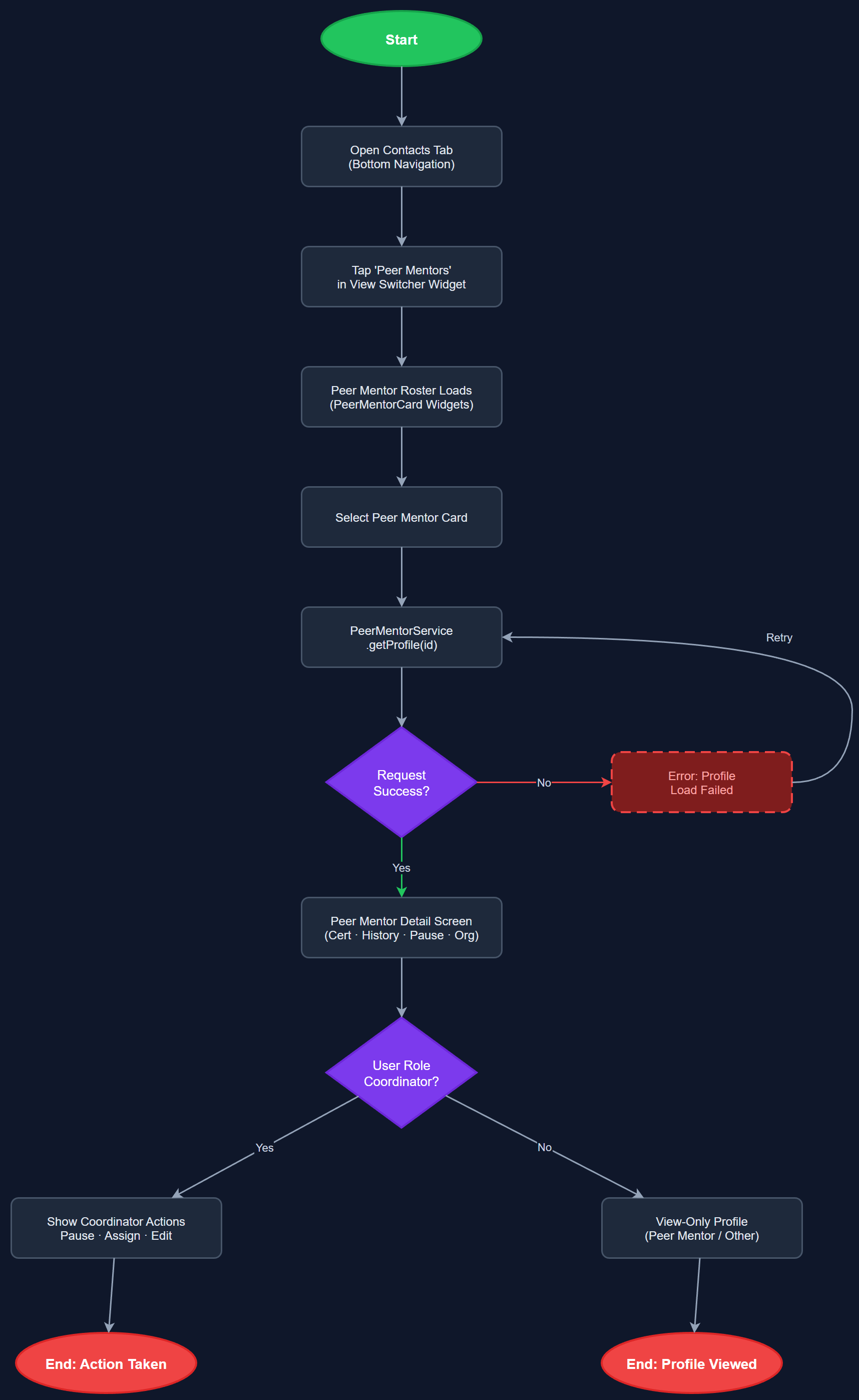
This feature provides dedicated profile screens and management capabilities for peer mentors, distinct from generic contacts. A peer mentor detail screen shows certification status, activity history, assignment count, pause status, and organizational affiliation. A PeerMentorCardWidget renders summary information in list contexts. A view switcher widget allows coordinators to toggle between the contacts list and the peer mentor roster within the same navigation context. The Peer Mentor Service and Repository handle all data operations specific to the peer mentor entity, including status transitions and association assignments.
User Flow
Analysis
Peer mentors are the operational core of all three organizations and require richer profile management than generic contacts. Coordinators need a single screen to assess a mentor's current workload, certification validity, and availability before assigning new contacts or tasks. The separation of peer mentor profiles from generic contacts reflects the domain model accurately and prevents UI clutter — a mentor has attributes (certification expiry, honorarium thresholds, pause status) that are irrelevant to regular contacts. Providing coordinators with a clear mentor roster view with status indicators directly supports the 40% follow-up dissatisfaction issue identified in HLF's survey data, giving coordinators the visibility needed to intervene proactively.
The PeerMentorDetailScreen fetches from `/api/v1/peer-mentors/:id` which joins peer_mentors, certifications, and peer_mentor_status_logs tables. The Peer Mentor Service abstracts these queries and exposes a typed PeerMentor domain model. The ViewSwitcherWidget is a segmented control (tab bar) that switches the parent list screen between contacts and peer mentors data sources without full navigation. The PeerMentorCardWidget reuses the base card layout from the design system but adds status badge overlays (active, paused, expired certification) using the unified entity color system. The Repository layer uses the local SQLite cache for offline reads, with the Sync Service handling background refresh. Certification expiry dates drive visual warning states computed in the Service layer.
Dependencies
Definition of Done
Components (63)
Shared Components
These components are reused across multiple features
User Interface (16)
Service Layer (13)
Data Layer (9)
Infrastructure (20)
User Stories
No user stories have been generated for this feature yet.